submit ticket
This guide is intended for users who want to submit a ticket.
Login to LoonFlow
Clieck “Workbench” in the left sidebar
Select a workflow from the dropdown menu
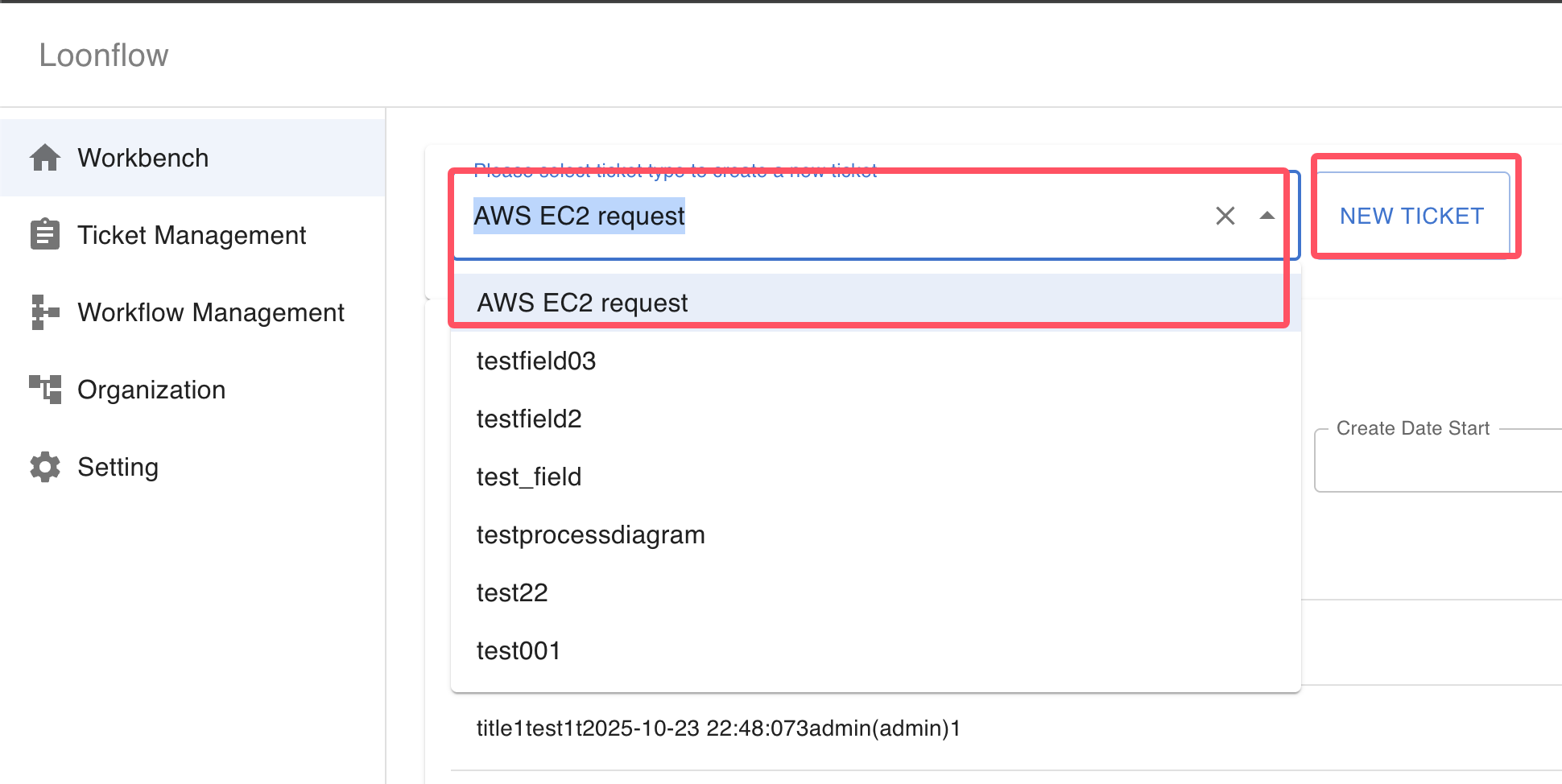
Click the “New Ticket” button
Fill in the ticket information
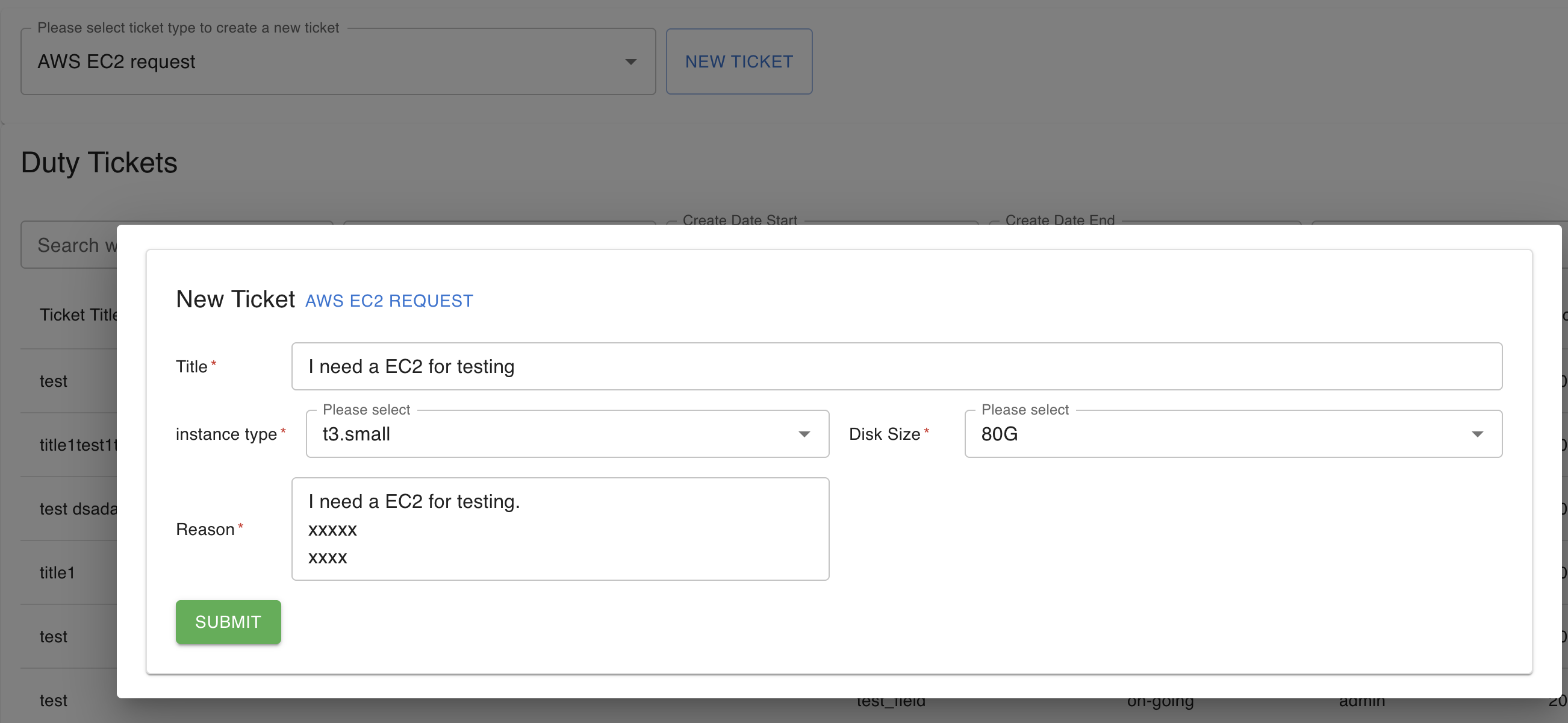
Click corresponding button listed in the bottom of the dialogpage to submit the ticket.
The ticket will be submitted and the next handle user will receive a notification.