Query tickets
After signing in to Loonflow you can browse different ticket lists. The workbench shows your pending tasks. Under the “Ticket management” menu you will find:
My Duty: tickets currently assigned to you
My Owner: tickets you created
My Relation: tickets you are related to (created by you, previously assigned to you, handled by you, commented by you, or force‑intervened by you)
My View: tickets in workflows where you have view permission
My Intervene: tickets whose workflows list you as Dispatcher
All Tickets: every ticket; only administrators can view and intervene through this entry
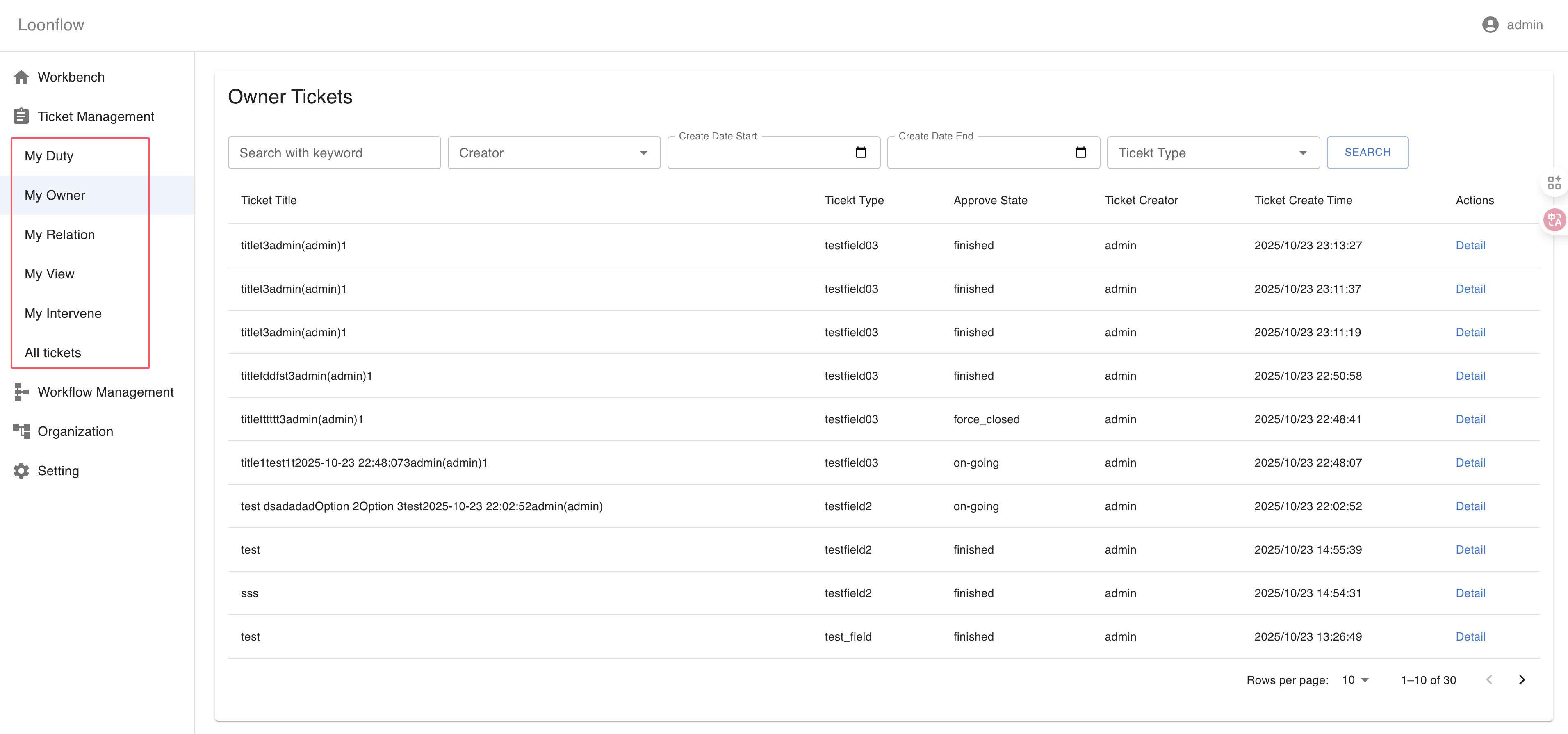
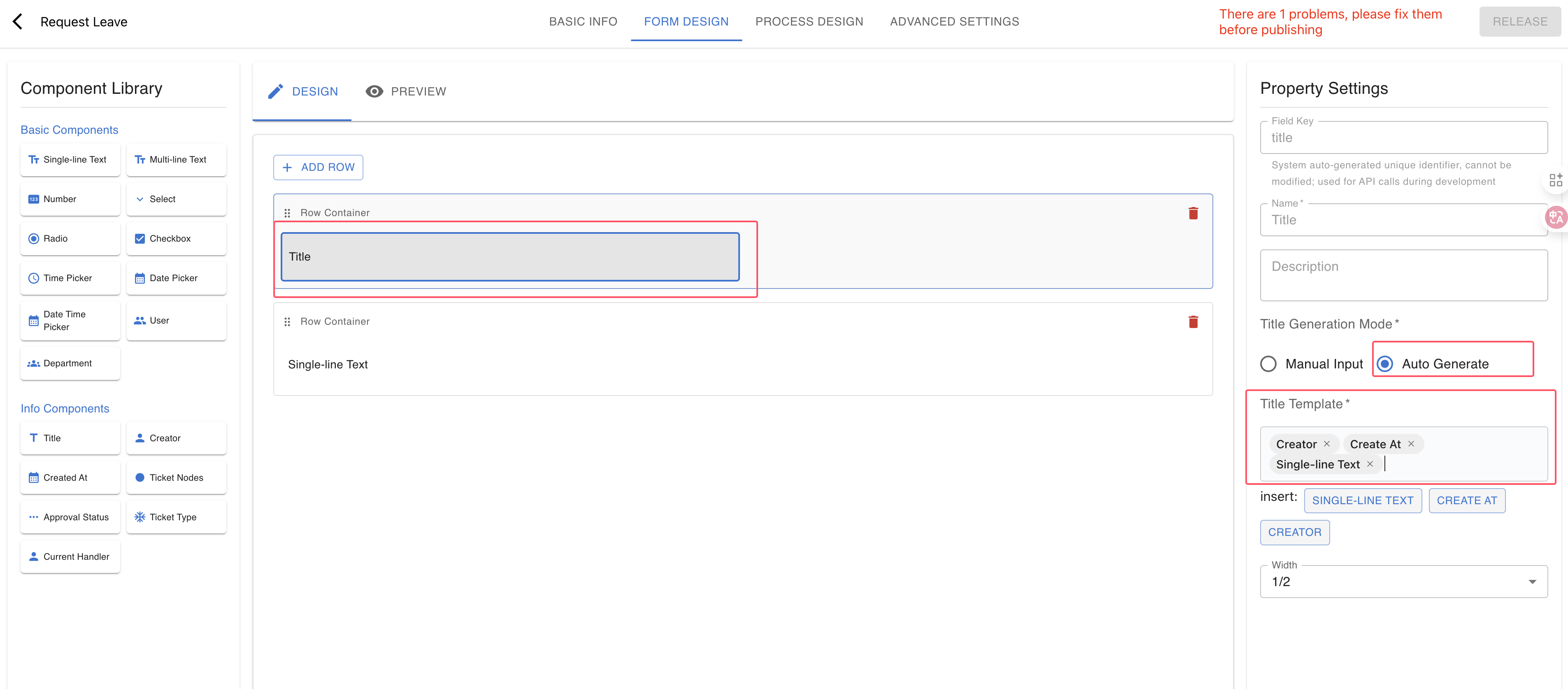
Each ticket list provides filters above the table: Keyword, Creator, Created time range, and Workflow (ticket type). Keyword currently supports fuzzy search on the ticket title only. To enable searching by custom fields, set the title field to Auto Generate in the workflow form designer and include the desired fields in the title template. The system will then auto-generate titles containing those field values, letting you find tickets via those custom fields.
Note
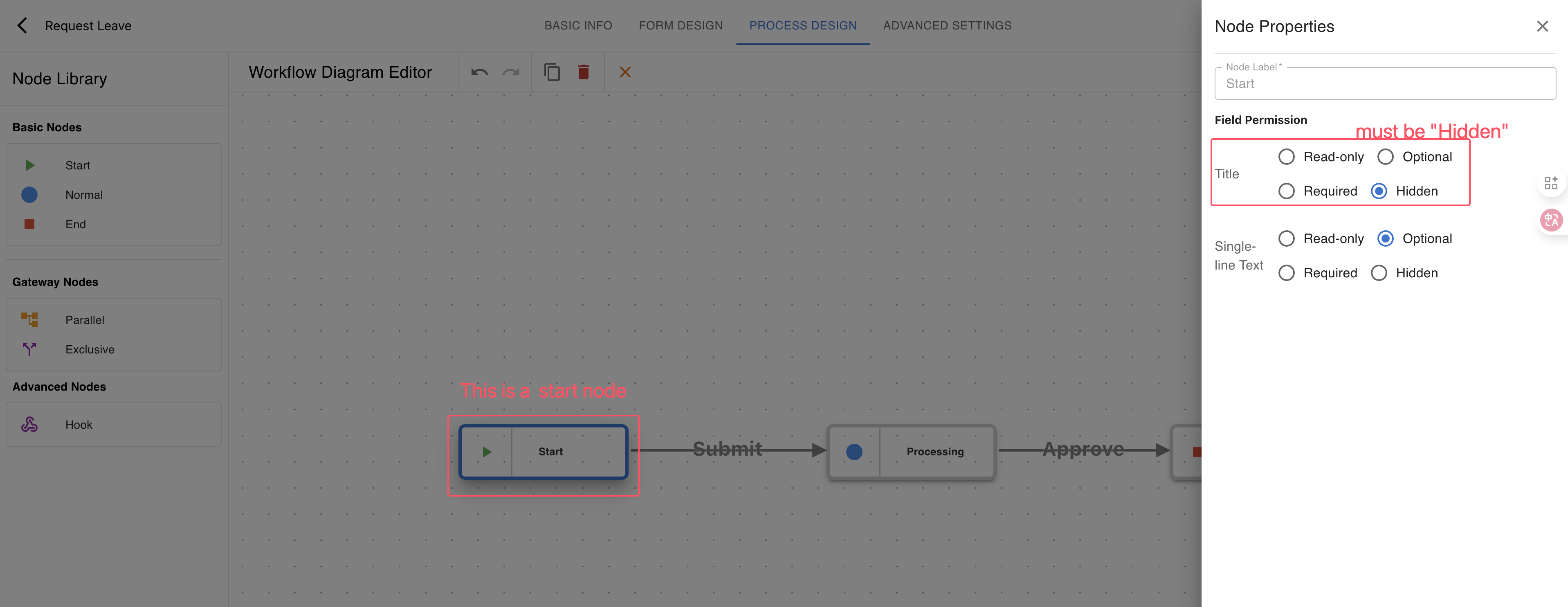
if you set title property to “Auto Generate”, the system will auto-generate a title for the ticket based on the custom fields. so you must set the title field’s permission to “hidden” for the start node.