Handle Tickets
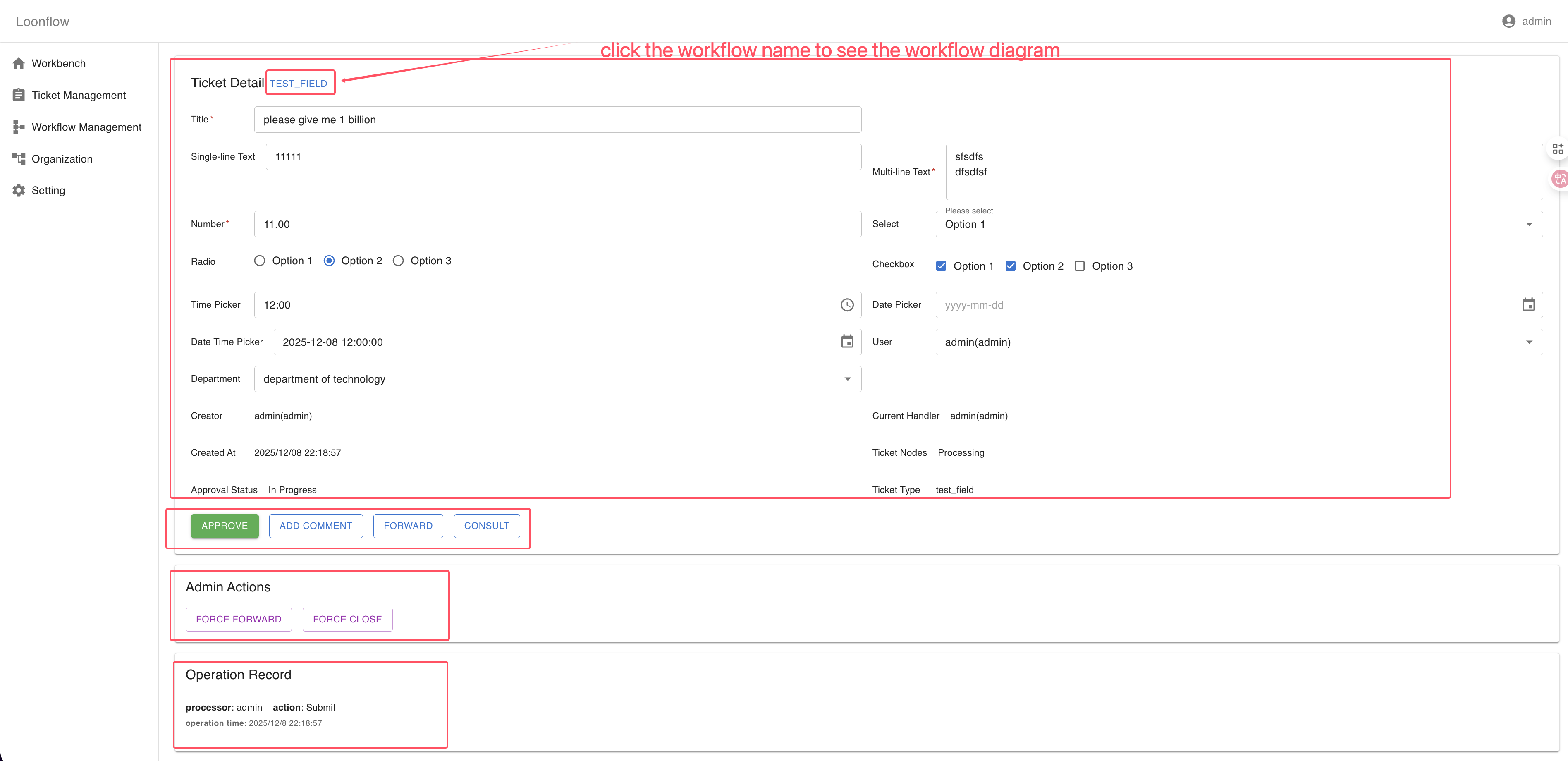
After signing in to Loonflow, open your pending tickets from the left sidebar via Workbench or through Ticket Management → My Duty. Click Detail in the Action column to view a ticket. The detail page contains three main areas:
Ticket Detail
Shows all visible or editable fields for the ticket. Actions available to you appear under the fields and fall into four categories:
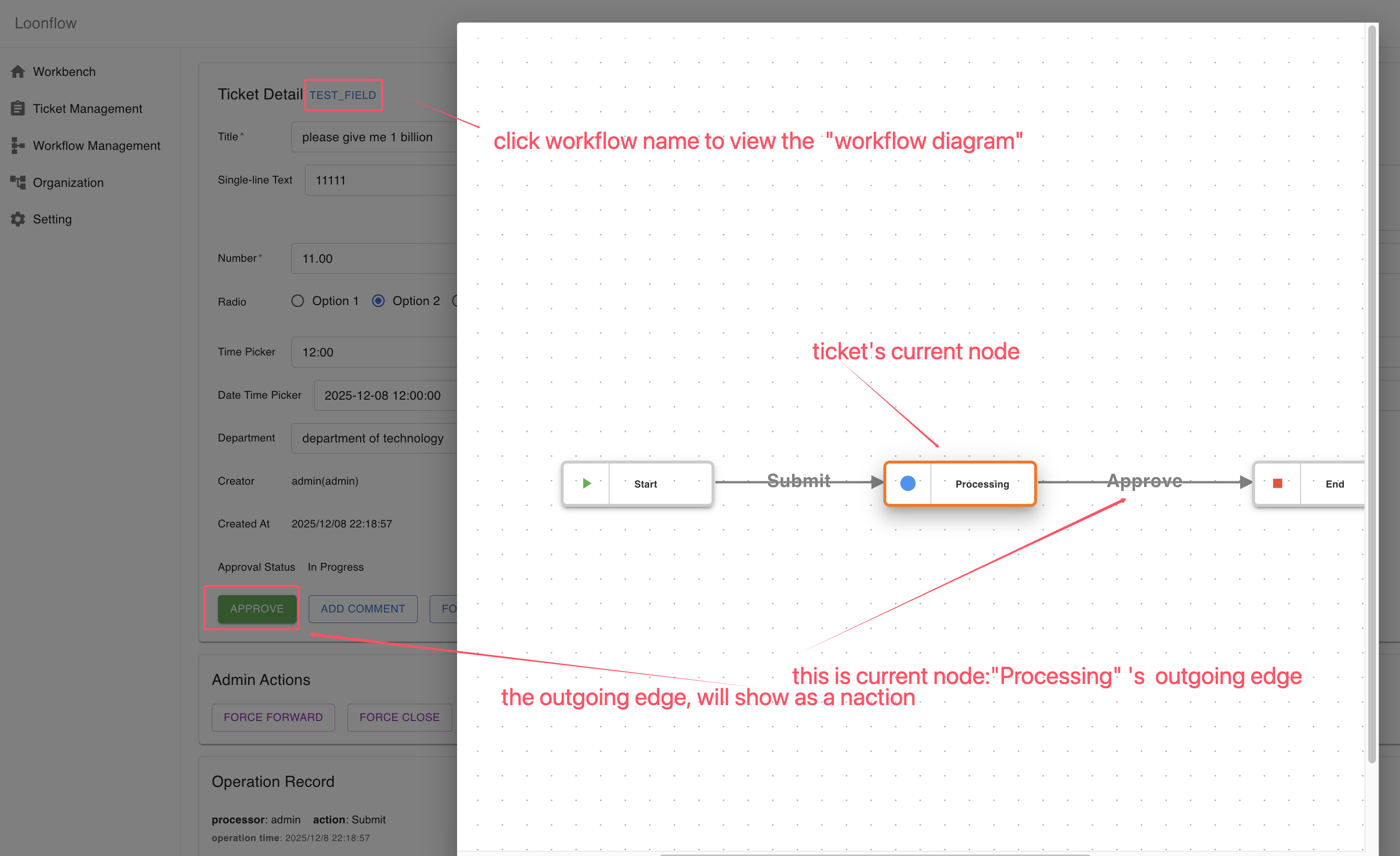
edge actions: Actions defined on the outgoing edges of the current workflow node.
viewer actions: Available to anyone who can view the ticket, e.g., ADD COMMENT.
handler actions: Available to users permitted to handle the ticket, e.g., FORWARD, CONSULT, CONSULT_SUBMIT.
special actions: Context-specific options such as CONSULT_SUBMIT (for assignees during a consultation) or WITHDRAW (when withdrawal is allowed on the current node and you are the ticket creator).
Admin Actions
Visible when you are an administrator, the workflow manager for the ticket, or the ticket’s dispatcher. Options include FORCE_FORWARD and FORCE_CLOSE.
Operation Record
Displays the ticket’s activity history, including actor, time, action type, and details of each operation.