Model Context Protocol (MCP) — Ticket Server
Overview
Loonflow exposes a Model Context Protocol server that lets compatible clients (for example AI-assisted editors) query and handle tickets through authenticated tools. The server name advertised to clients is loonflow-ticket. Tools call the same permission-aware ticket services as the web UI.
Authentication
Calls must be authenticated with an access token. Supported token types include:
Personal access token (recommended for MCP clients): values start with
lfpat.JWT issued by Loonflow (same as API usage)
You can pass the token in the MCP HTTP client as a header (see configuration below), pass it per tool where supported, or configure a server-side environment variable for non-interactive setups.
Create a personal access token
Open Personal Information in the product UI, then open Personal Access Token. Create a new token and store it securely. Replace xxx in the configuration example with that token.
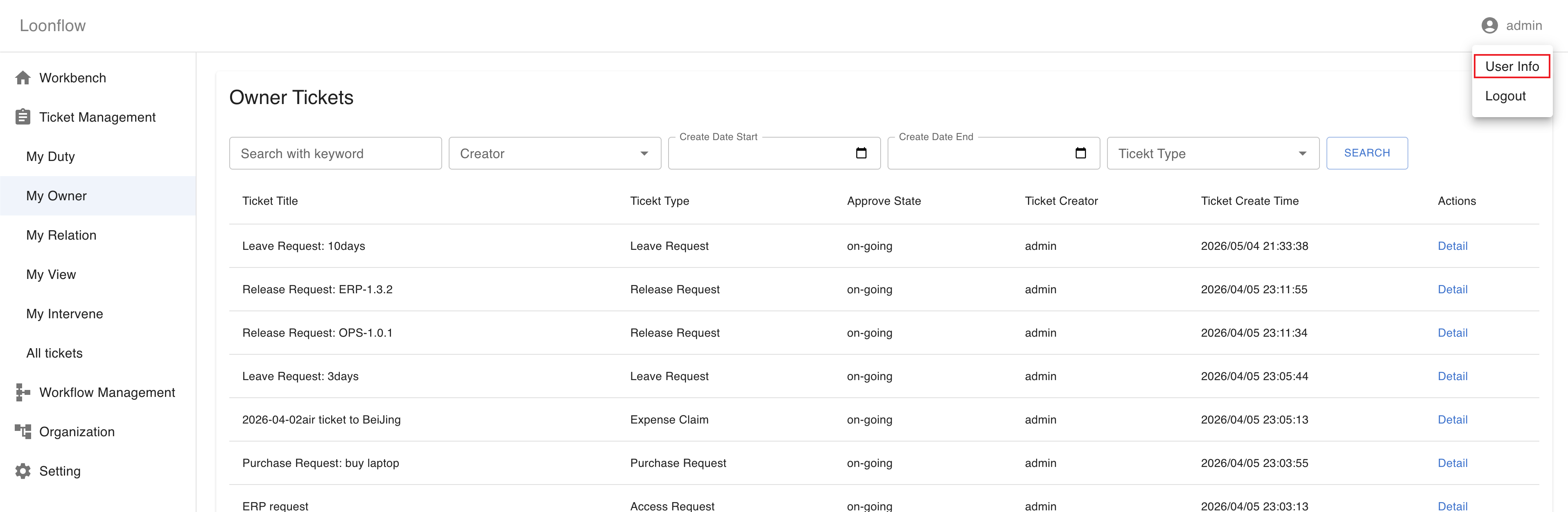
Navigate to Personal Information → Personal Access Token.
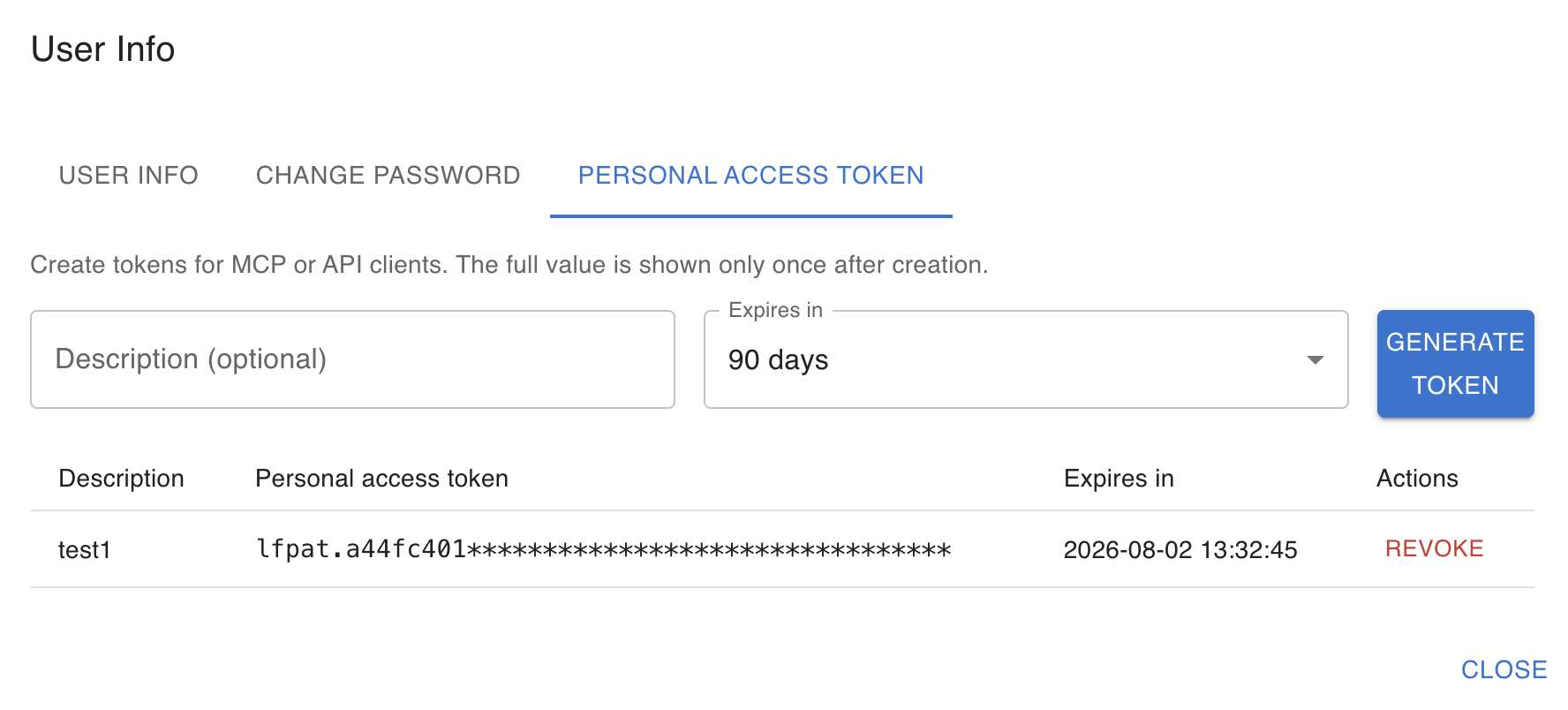
Create or manage personal access tokens.
Client configuration (example)
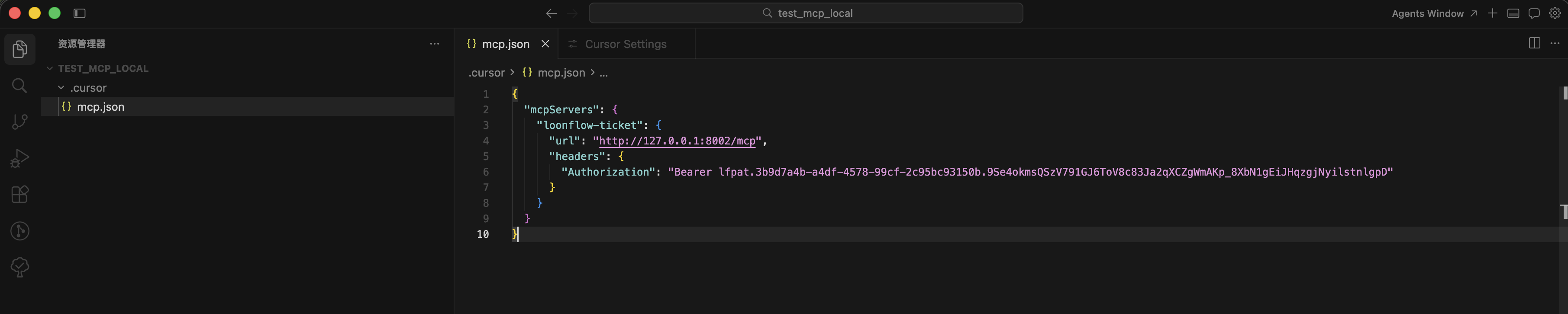
Use the Streamable HTTP endpoint exposed by the MCP process (default path /mcp). Adjust host and port to match your deployment; local development often uses port 8002.
For the Loonflow SaaS service, use https://mcp.loonflow.com/mcp as the MCP server URL.
{
  "mcpServers": {
    "loonflow-ticket": {
      "url": "http://127.0.0.1:8002/mcp",
      "headers": {
        "Authorization": "Bearer xxx"
      }
    }
  }
}
Replace xxx with your personal access token. If the client supports separate auth configuration, you may alternatively send X-Loonflow-Access-Token with the raw token value.
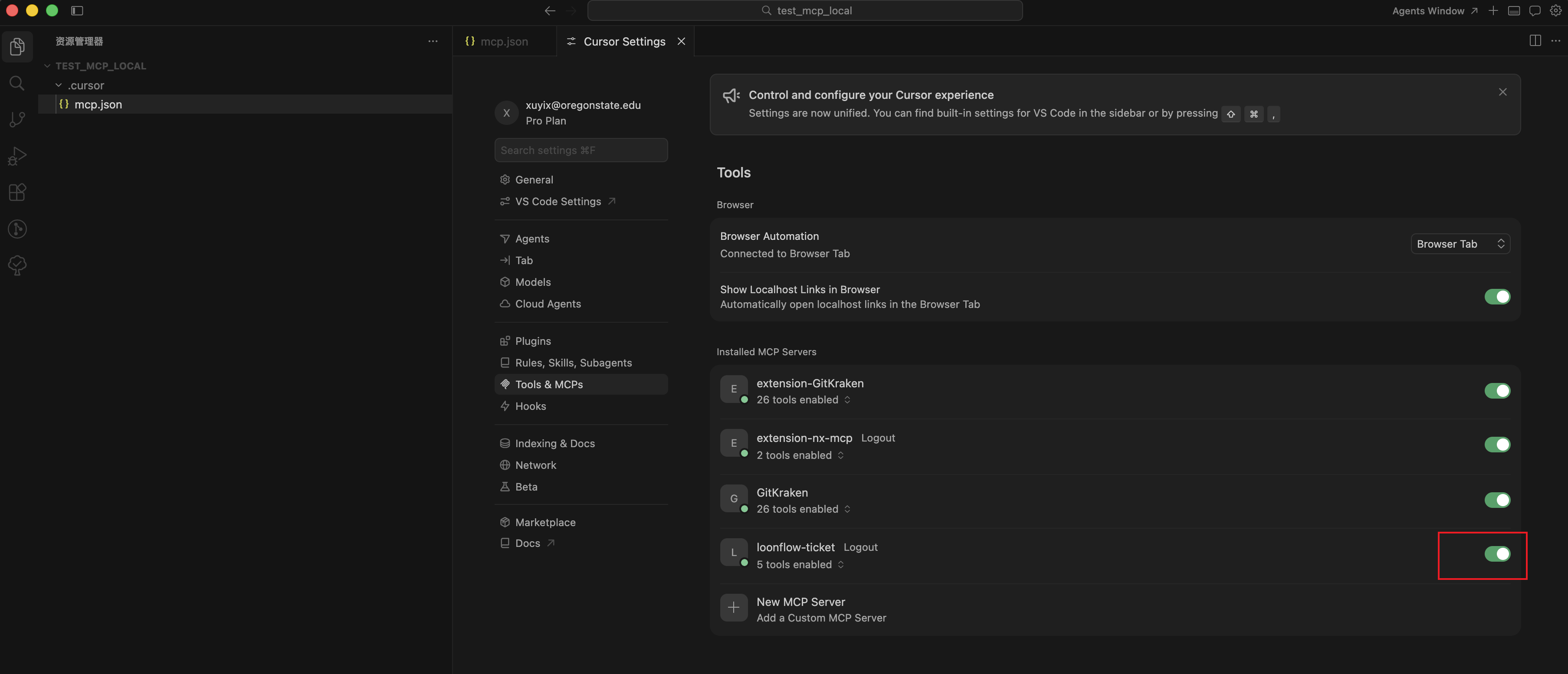
- sample for cursor
Supported tools
The server currently registers the following tools.
ticket_list
Returns a paginated ticket list for the authenticated user, including total count and pagination metadata.
Main behavior:
category selects which list to query:
duty(my todo),owner(created by me),relation(related to me),view(I can view),worked(tickets I processed),intervene(I can intervene),all(all tickets; admin only).Optional filters include free-text search_value, create_start / create_end, workflow_ids, node_ids, ticket_ids, act_state, creator_id, parent_ticket_id, reverse, per_page, and page.
If neither
create_startnorcreate_endis set, a default time window is applied (see server implementation).
ticket_detail
Loads ticket detail for a given ticket_id: dynamic form schema (component_info_list), workflow metadata, field_permissions, derived required_fields / optional_fields / readonly_fields, and available actions (plus admin_actions when applicable), including base node identifiers used by some actions.
ticket_prepare_handle
Prepares the same context as ticket detail (form schema, permissions, and available actions). Use it when you want a dedicated “prepare to handle” step before submitting an action.
ticket_handle
Executes a workflow action on a ticket after permission and field validation.
Main behavior:
action_type and action_id must match one of the actions returned for the current user (including admin actions when allowed).
fields must satisfy required fields for the current node/form.
action_props carries extra properties required by specific actions (for example node context for comments when applicable).
dry_run: when
true, validates the request and returns a summary without changing the ticket; whenfalse, performs the handle operation.
user_list
Returns a paginated user list scoped to the authenticated user’s tenant, using the same query logic as the accounts API (AccountUserService.get_user_list).
Main behavior:
Response shape: user_list (array of user objects), plus pagination fields per_page, page, and total.
search_value: optional fuzzy match on user name, alias, and email (substring match).
user_ids: optional comma-separated list of user UUIDs to restrict results.
dept_id: optional department id; when set to a real department, only users linked to that department (via
UserDept) are returned. Values0or00000000-0000-0000-0000-000000000000are treated as “no department filter” (see server implementation).page and per_page control pagination (defaults: page
1, per_page10). Out-of-range page falls back to the last available page.simple (default
true): whentrue, omits several heavier profile fields from each user row (for examplelast_login,label,creator_info,created_at,updated_at,type,lang,phone). Setsimpletofalsewhen you need the full serialized user record.
Each user entry includes dept_info_list (department name, id, and primary flag) when applicable.
Operational notes
Default listen address and port are controlled by environment variables (for example
LOONFLOW_MCP_HOST,LOONFLOW_MCP_PORT); align your client URL with the running process.For server-side default authentication (for example stdio transports), refer to
LOONFLOW_MCP_ACCESS_TOKENin the MCP server documentation in the codebase.