Create Or Update Workflow
This guide is intended for new admin or workflow admin who want to configure workflows.
Create New Workflow
Login to LoonFlow
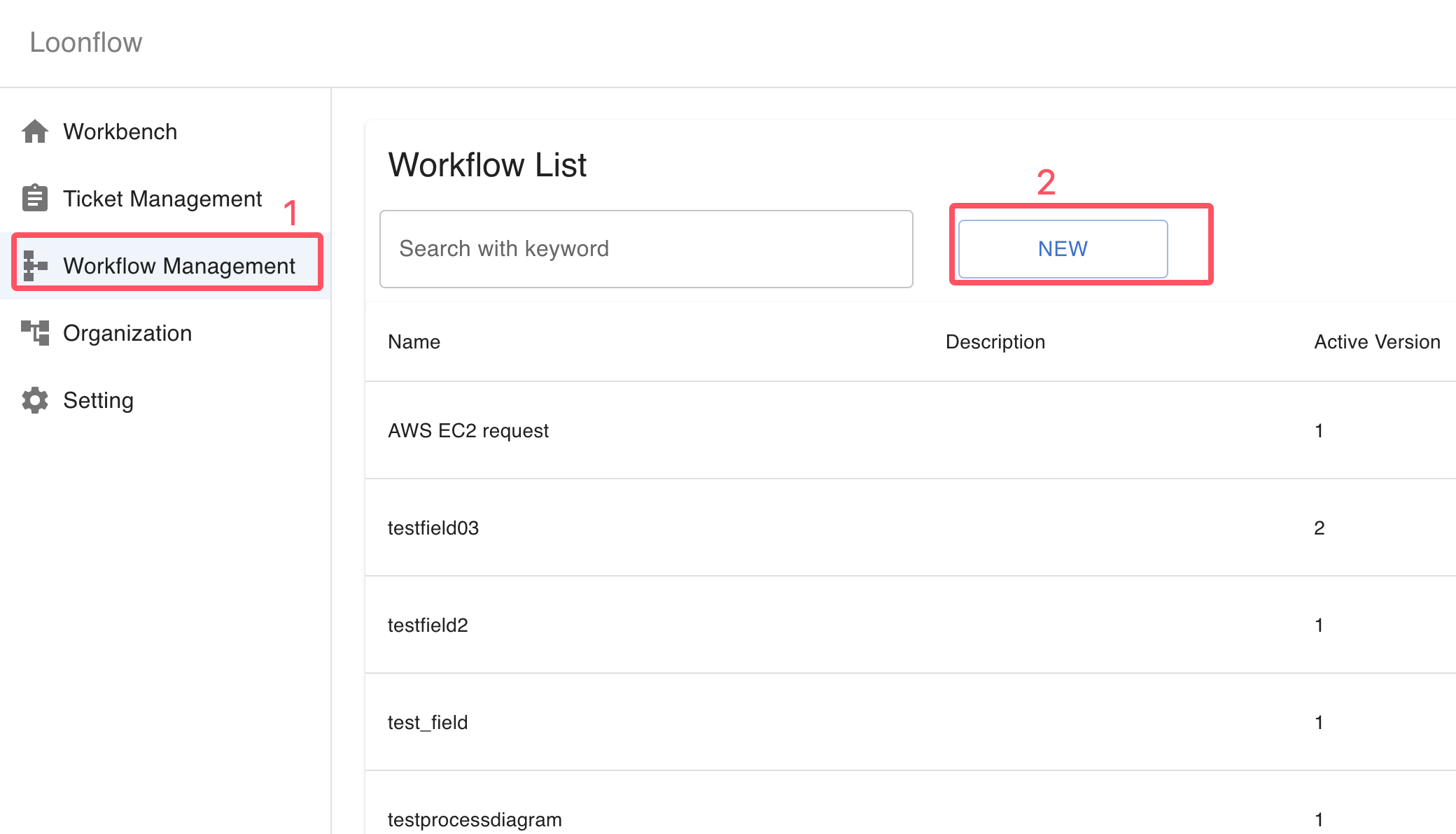
Click the “Workflow Management” button in the left sidebar
Click the “New Workflow” button
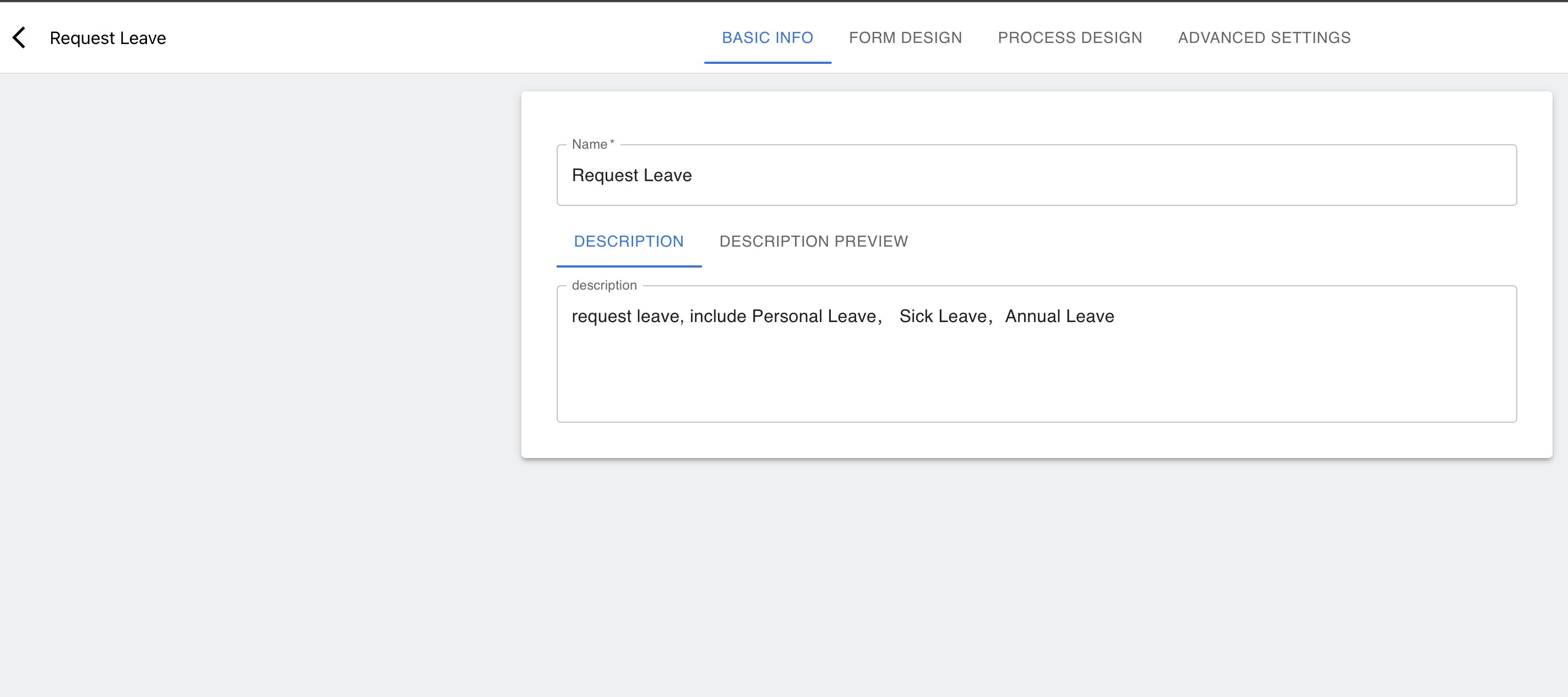
Fill in the workflow basic information
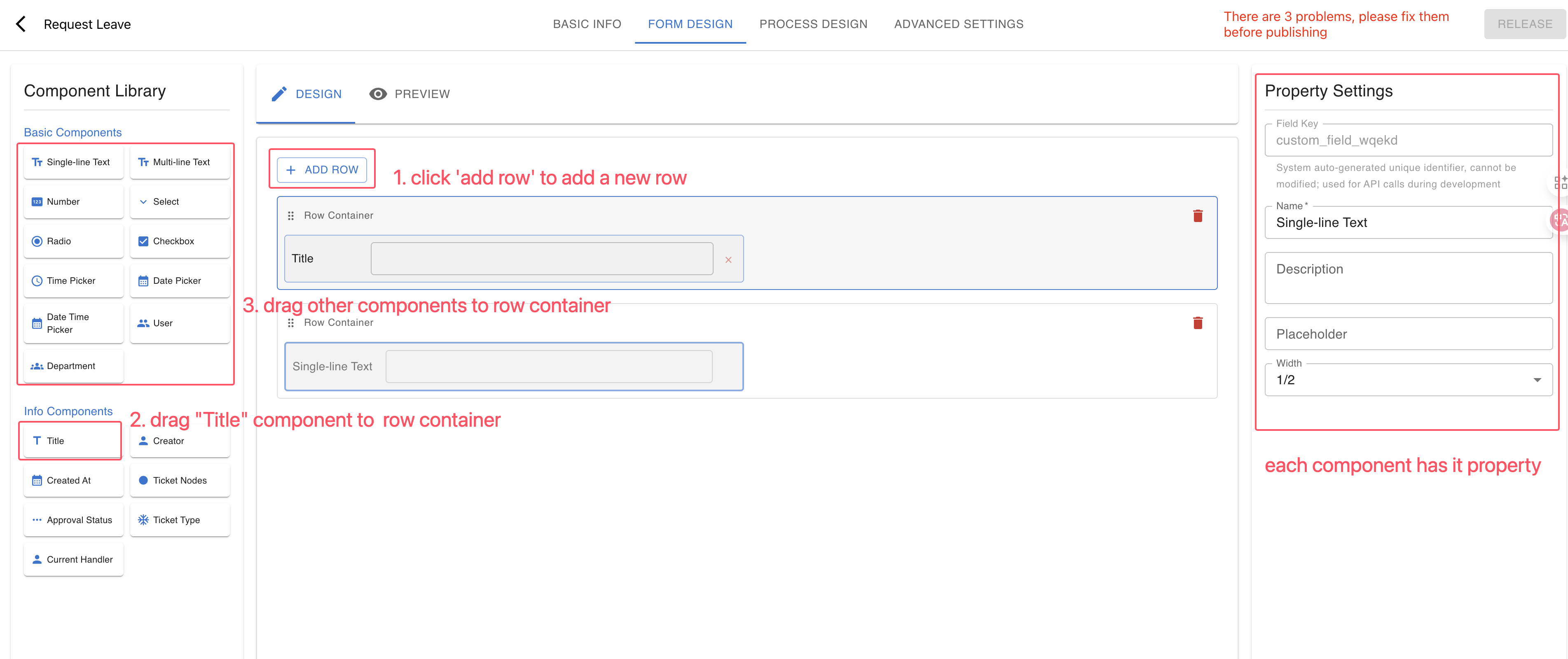
Finish form design
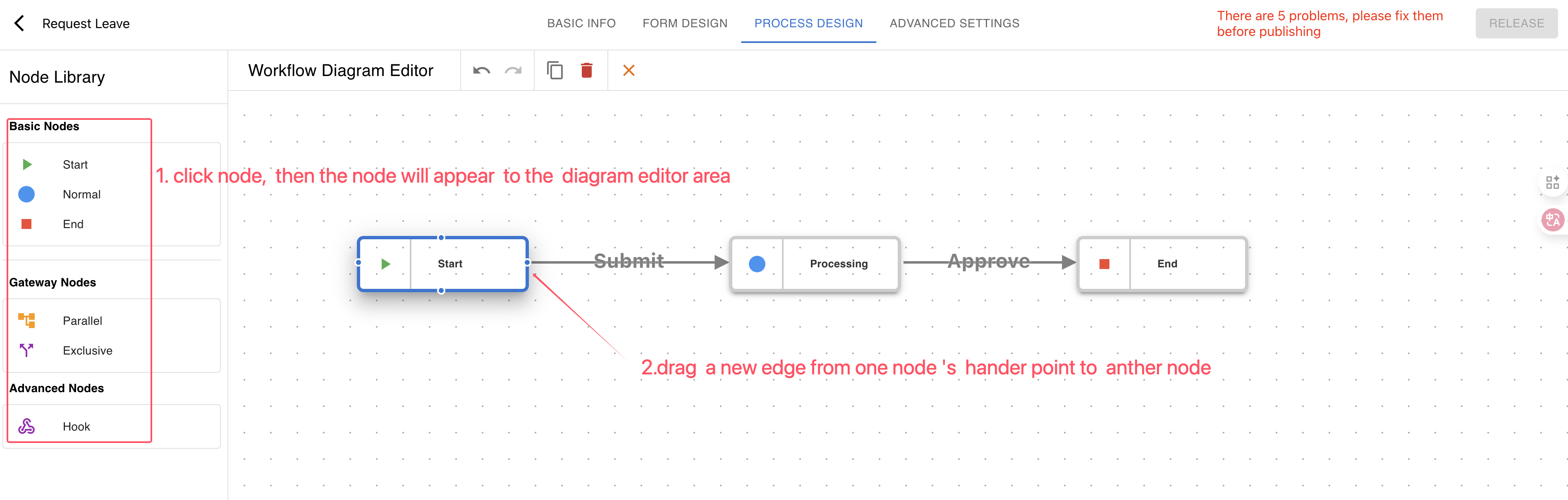
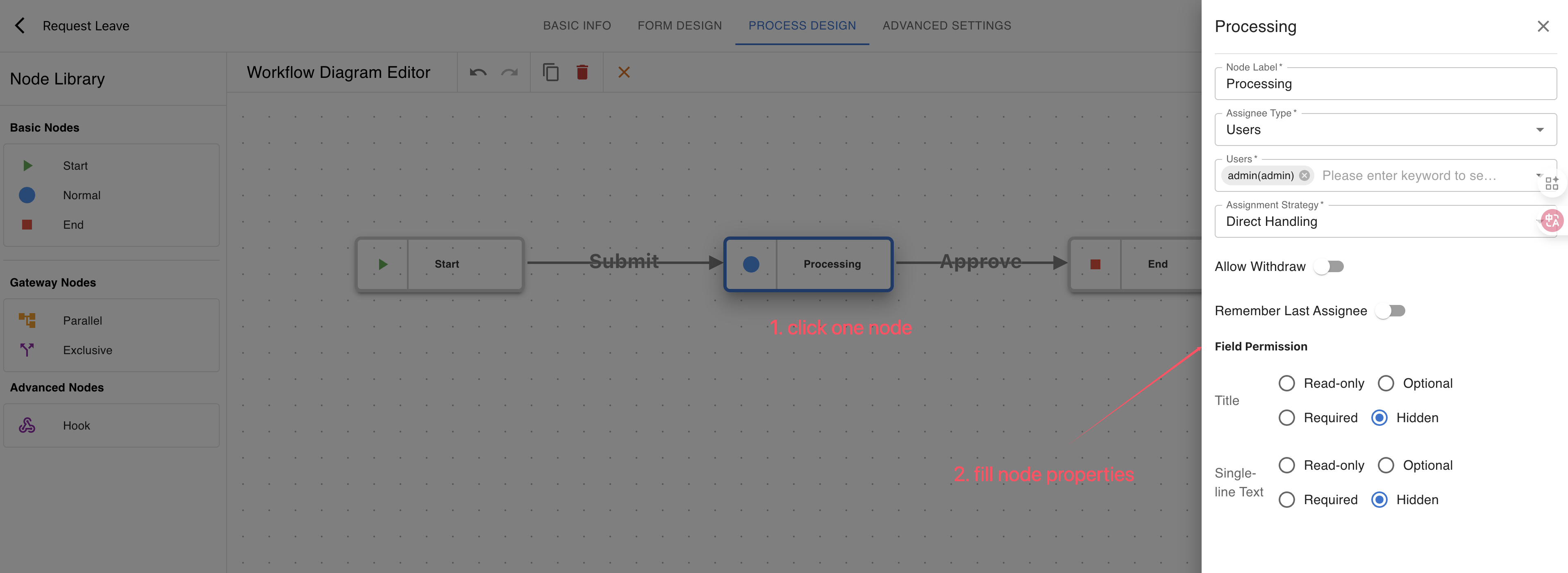
Finish process design
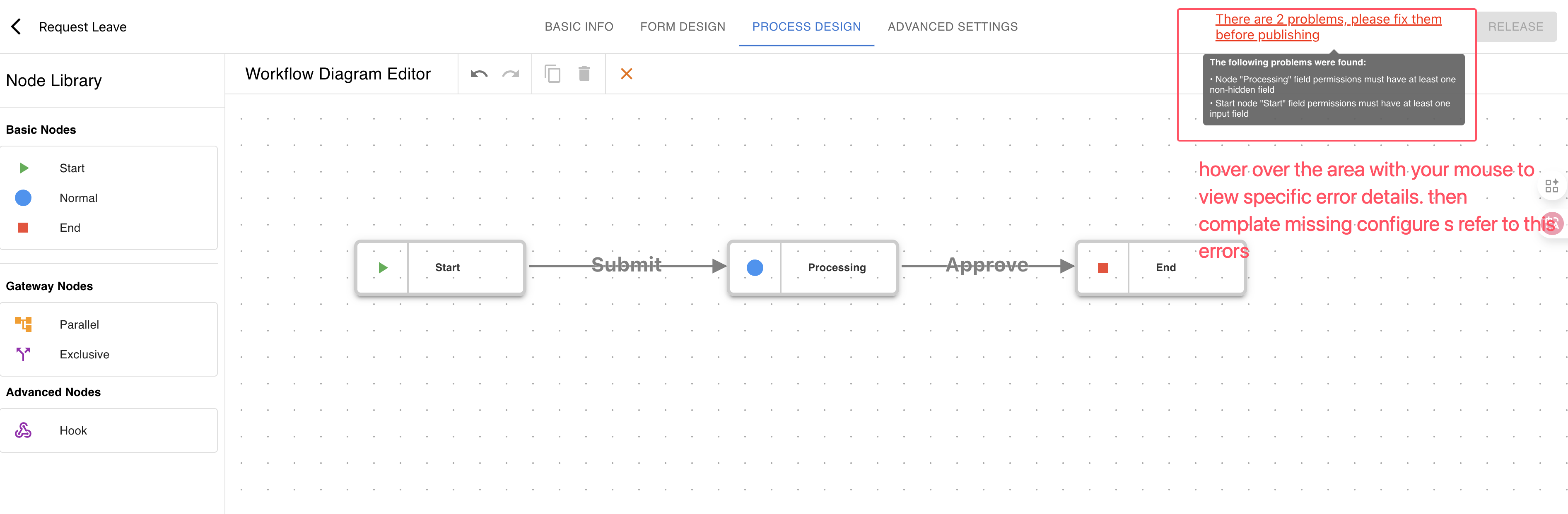
Click the “RELEASE” button, then set the workflow version and click the “CONFIRM” button
Update Workflow
Login to LoonFlow
Click the “Workflow Management” menu in the left sidebar
Find the workflow you want to modify and click the EDIT button in the action column on the right
In the version list popup, choose the version to edit and click the workflow edit button on the right to open the workflow edit page
After editing the workflow, click the “RELEASE” button, then set the workflow version and click the “CONFIRM” button
Note
LoonFlow automatically checks whether your changes are compatible with previous versions and will remind you. You can save as a new version or keep the current version. If you save as a new version, you can adjust the version type on the workflow version management page.